
Hear your computer through your hearing device
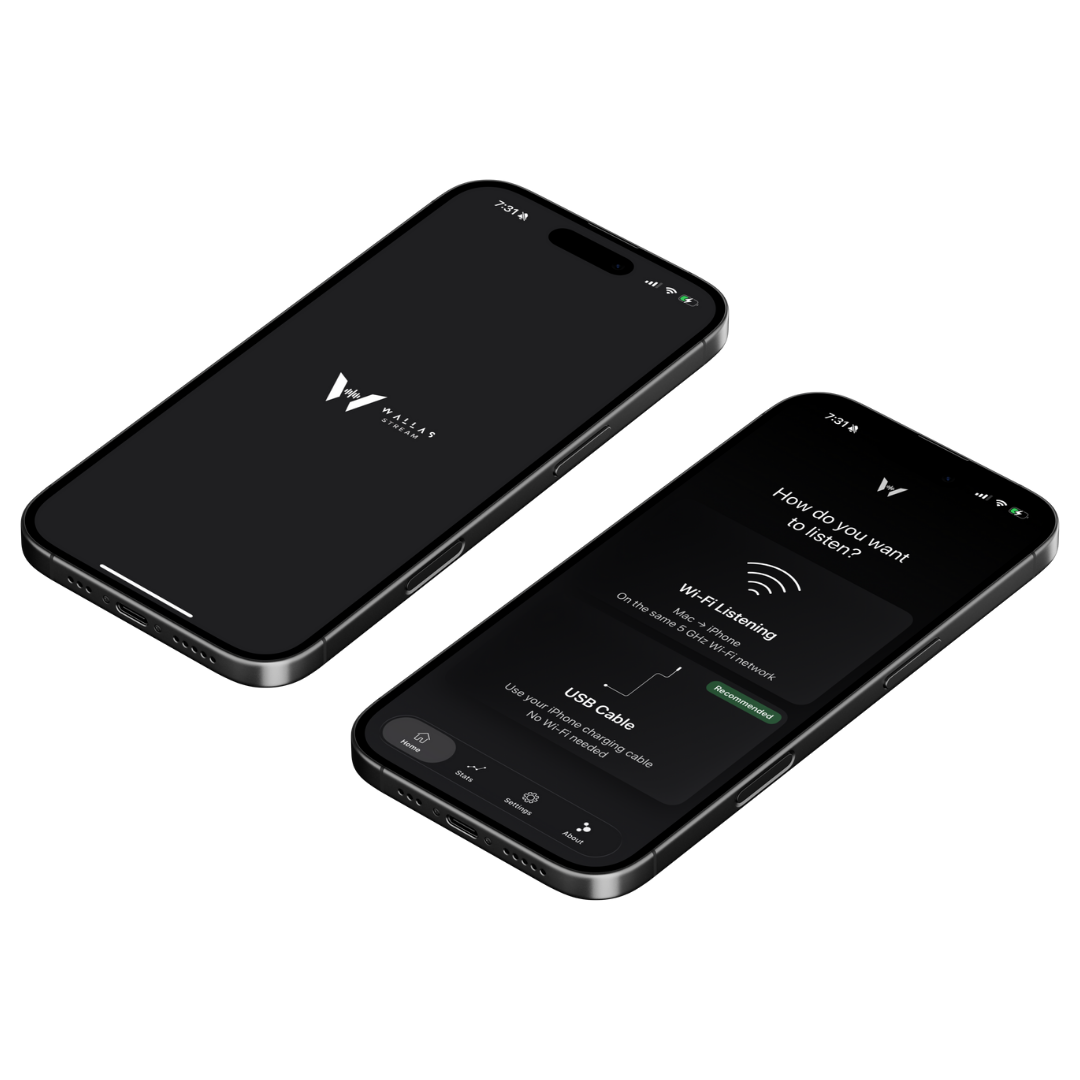
Private. Seamless. No Bluetooth switching.
- No pairing headaches
- No device switching
- Local-only audio (no cloud)

Works with your device and your computer, plus a one-time audio setup.
Independent tool • Not a medical device • Not affiliated with Cochlear.
Cochlear™ and Nucleus™ are trademarks of Cochlear Limited.
Clear meetings
Hear calls and meetings with clarity.
Watch videos in sync
Audio for movies and daily listening.
Wi-Fi or cable
Works over Wi-Fi or with a USB cable.
Private by design
No recording. No cloud. Ever.
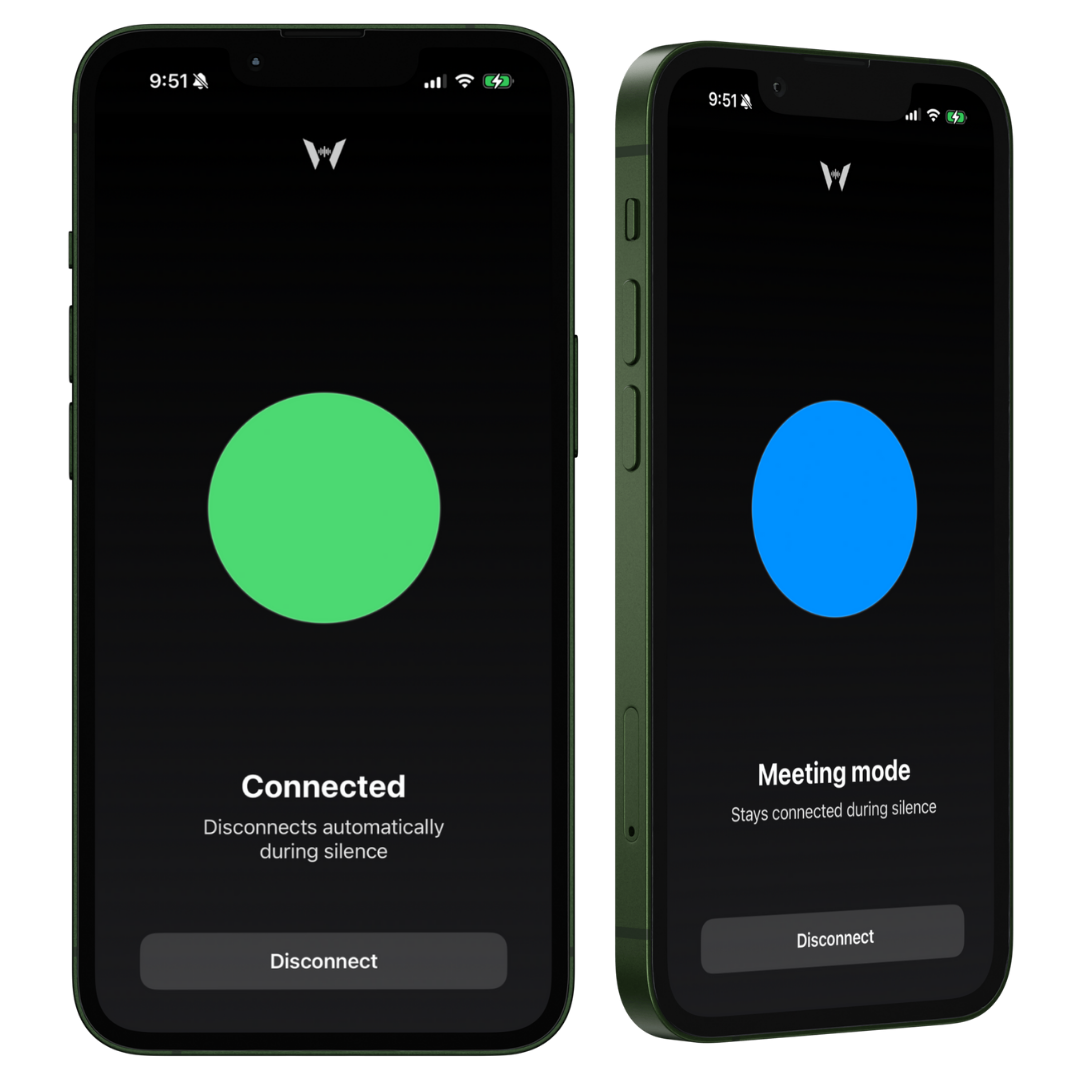
Two listening modes
Choose how Wallas’ Stream reacts when audio stops.
Connected (Auto-disconnect)
Disconnects automatically after silence, so you can hear your surroundings again.
Best for music, videos, and everyday listening.
For more information, see Two listening modes
Meeting Mode (Stay connected)
Stays connected during silence, so audio won’t cut out.
Best for meetings, classes, and long pauses.
Shared Listening Mode
Watch together. Listen together.
- Perfect for movies, classes, or shared listening
- Multiple devices can connect at the same time
- Everyone hears the same audio, in real time
- No pairing headaches or Bluetooth switching
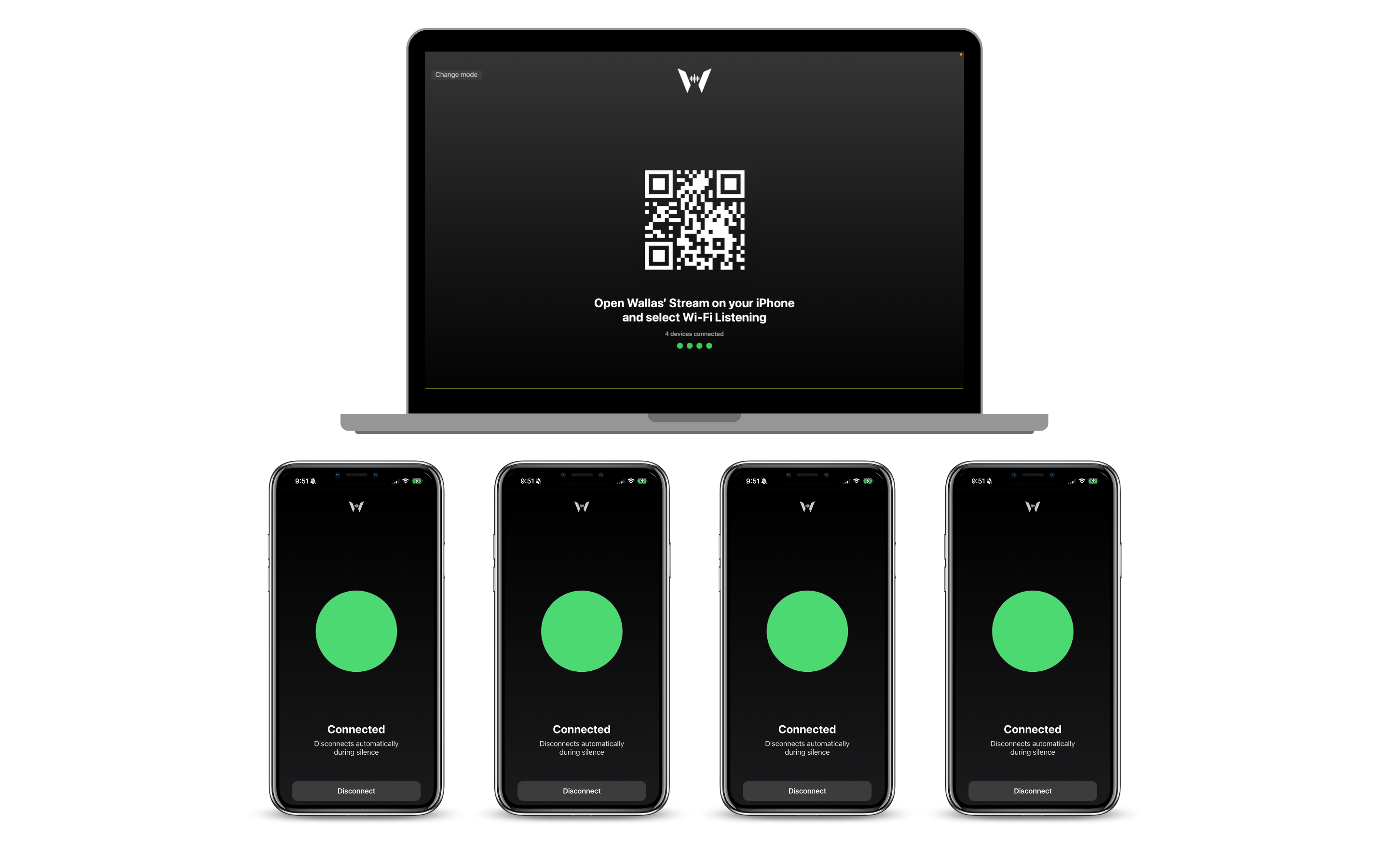
Example: four devices connected at the same time.
What you need
- ✓ A compatible computer
- ✓ A mobile device with Wallas’ Stream installed
- ✓ A hearing device connected to your device
- ✓ Wi-Fi or a USB cable
Step 1: Select Wallas Audio
Select Wallas Audio as your computer sound device (input and output).
You can switch back anytime.

Step 2: Choose a mode
- Wi-Fi → Scan the QR code
- USB → Plug in a USB cable
For more information, see Two listening modes.

Step 3: Start listening
Live computer audio, streamed privately to your hearing device.

No. Wallas’ Stream does not change your processor settings or clinical programming in any way.
It simply streams audio from your computer to your device, which then delivers sound through your existing hearing setup, just like any other audio app.
- No changes to MAPs or audiology settings
- No firmware updates
- No medical adjustments
- Works only as an external audio streaming companion
Yes. Wallas’ Stream has been tested with Cochlear™ Nucleus 7 and Nucleus 8 processors connected through a compatible mobile device.
It works as a private audio streaming companion, using your existing hearing setup.
Compatibility may vary depending on your processor model and device audio settings.
Wallas’ Stream is currently available for macOS and iOS devices. We’re actively working on expanding support to other platforms, including Android and Windows.
No. Audio is streamed live for listening and is not stored or recorded by the system.
Wi-Fi mode requires the devices to be on the same network. USB Cable mode is designed for offline use.
No. Wallas’ Stream is not a medical device and does not diagnose, treat, cure, or prevent any condition.
More questions? Visit the full FAQ